TechnoDoc 10.0. Information models
The new version introduces the Information Models module. You can now describe the structure of your enterprise right in TechnoDoc and use it in reports straight away, with no separate system for maintaining reference data.
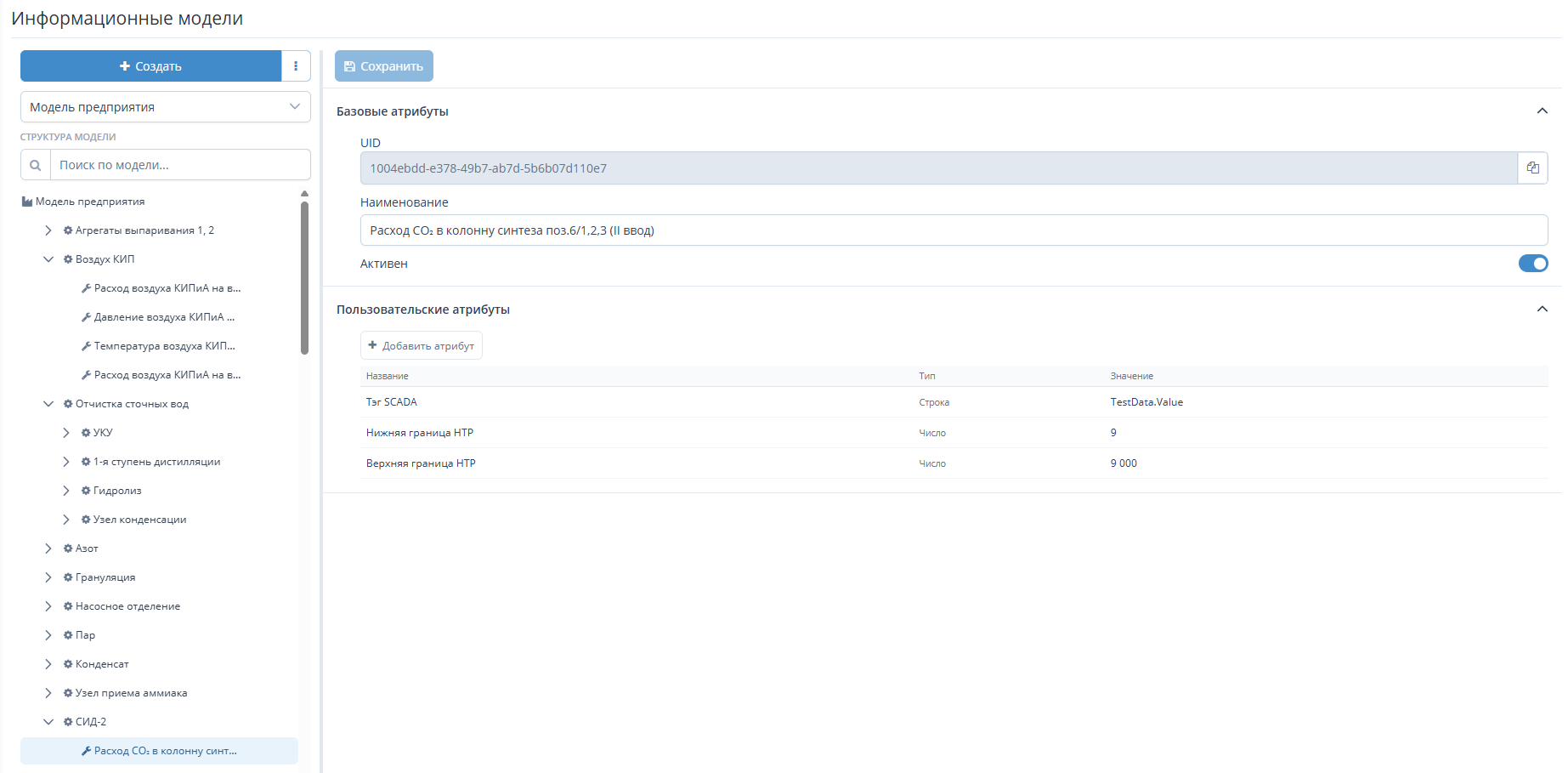
Enterprise structure as a tree
- An information model presents a production site or automation object — workshops, areas, lines, equipment — as a clear tree.
- Every node has its own attributes: numbers, strings, logical values, dates.
- Attributes are a convenient place for data that SCADA does not have: equipment nameplate data, commissioning date, the person responsible for the object. Such values are entered once and are then used on a par with data from external connections.
- There can be several models — for example, one for each workshop. Access to each model is configured separately for user roles.
Information models in reports
- Model nodes and attributes are available to the report designer as a data source, just like SCADA tags and other external connections.
- A parameter of the Information Model type puts a reference to the model, the value of a node attribute or a whole list of nodes into the report.
- In a parameter of the Log type, the user selects a model node right when filling in the report.
Moving models between servers
- Models are exported to a file and imported from it, so a model prepared on one server is easy to move to another.
- Before import, TechnoDoc shows which models will be added and which will be updated.
Information models let you keep data about enterprise objects where reports are generated and use it in calculations straight away. For details on working with models, see the Information Models documentation section.